Graflio vs Pixelcut vs Canva: Which Makes Better Amazon Listing Images?
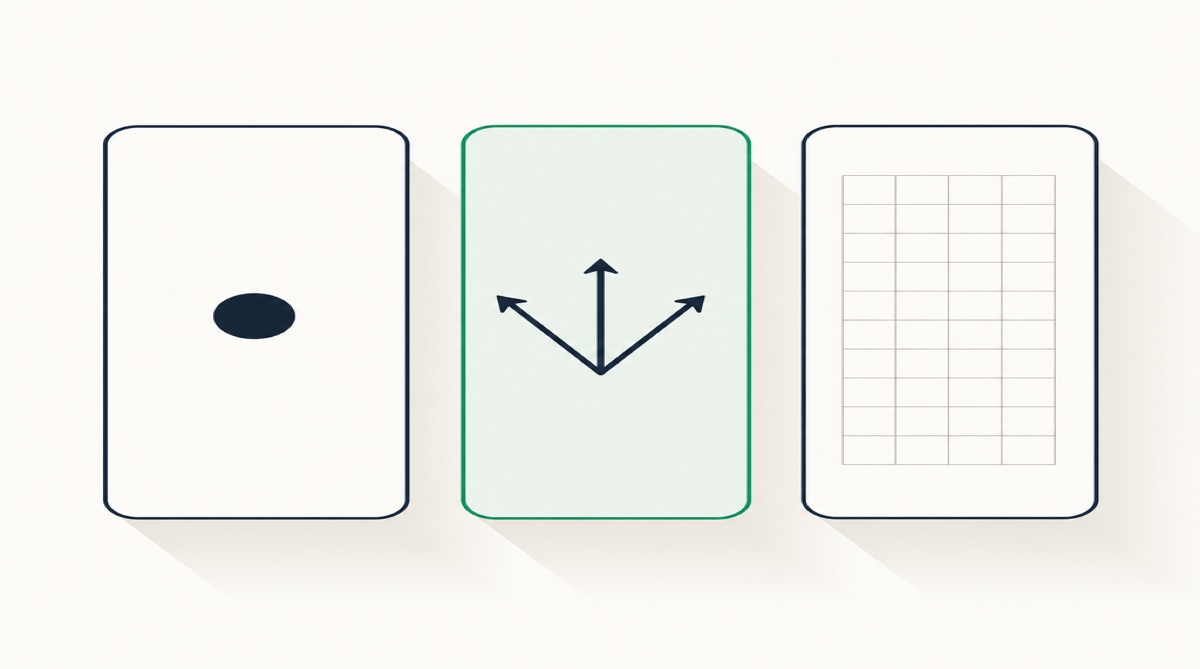
These three tools get compared constantly, which is odd, because they are not really competitors — they are three different answers to the question "who decides what this image should say?" Canva says you do. Pixelcut says a prompt does. Graflio says the listing data does. Everything else — pricing, template counts, export formats — follows from that one choice. This is our own comparison, so read the Graflio column with appropriate suspicion; we have tried to make the cases against us as concrete as the cases for us.
Three philosophies, not three feature sets
| Graflio | Pixelcut | Canva | |
|---|---|---|---|
| You start with | An ASIN or listing URL | A product photo | A blank canvas |
| The copy comes from | Listing, reviews, competitors | You, via prompt | You, typed |
| Changing a headline | Retype the text layer | Re-prompt, image regenerates | Retype the text box |
| Brand consistency | Brand kit applied to the set | Per-image, manual | Brand kit (paid plans) |
| Knows Amazon's rules | Built around them | Presets for marketplaces | No — you do |
| Beyond Amazon | Little | Some | Everything |
| Entry price | €10 credits free, no card | Free tier; Pro $10/mo | Free tier; Pro €110/yr |
Prices are the vendors' published list prices as of 11 August 2026.
Canva: total control, zero opinion
Canva is the most capable design tool of the three by a wide margin, and the least helpful for this specific job. It will not tell you that your reviews complain about oxidation, that the category leader undercuts you by €7, or that Amazon expects the main image on pure white with the product filling roughly 85% of the frame. It gives you a canvas and world-class tooling to fill it.
Choose Canva when you have a designer, an established visual language, and work that extends past Amazon into social, print and decks. €110 a year for Pro is excellent value for a tool that does all of that; €170 per user per year for Business adds the team and brand-management layer.
Skip it when the actual problem is deciding what six images should argue. A blank canvas does not help with that, and forty SKUs of blank canvas is how image projects die half-finished.
Pixelcut: fast, cheap, and prompt-shaped
Pixelcut is the volume play, and it is genuinely good at it. Pro is $10 a month — $8 billed annually — for 600 AI credits, unlimited background removal and upscaling, a three-person team and 1,000 batch exports a month. Business is $30 ($24 annually) for 3,600 credits, all AI models, ten seats and 2,000 batch exports. For a seller whose main cost is cutting out hundreds of photos, nothing here is better value.
The architectural limit is editing. Pixelcut's own guidance describes text changes as prompt instructions — you describe the replacement wording and the AI regenerates the image. One change is quick. The sixth change is a negotiation, because each regeneration can move things you did not ask it to move, and there is no text layer to correct by hand.
Choose Pixelcut when volume and price dominate, your copy is already decided, and images are relatively simple.
Skip it when you need six images that hold one visual system, or when you expect several rounds of edits — the format is worked against you there.
Graflio: the listing decides
Our answer to "who decides what the image says" is: the evidence. You paste an ASIN; the tool reads the live listing and its reviews, fetches the category best sellers, and produces a brief — pain points marked by whether they came from your reviews or a competitor's, USPs grounded in that data, and an image plan — before any pixels exist. Then it renders the set, and the set opens in a layer editor where headlines are text and callouts are objects.
Rendering is priced per action rather than per seat: €10 of credits free with no card, and after that credits from about €0.33 each, with research costing a fraction of a credit and each finished image one to three credits depending on the model. A six-image set therefore lands in the €2–6 range. There are subscription tiers if you'd rather buy monthly.
The honest case against us: it is Amazon-shaped, so it is close to useless for a trade-show banner or an Instagram grid. The research pass needs a live listing with reviews, so a pre-launch product gets much less from it. Canva will always beat us on creative range, and Pixelcut will beat us on raw cost per background removal. And if you have a designer who already knows your brand, a tool that proposes the argument for you is solving a problem you do not have.
How to decide in one minute
- Do you know what each image should say? If yes, you need a design tool — Canva, or a cheaper renderer. If no, that is the gap worth paying to close.
- How many revisions do you expect? One or two: any tool works. More: avoid anything where editing means regenerating.
- How many SKUs? Under five, a freelancer is competitive on both price and quality. Over twenty, per-image economics dominate everything else.
- Is Amazon the only channel? If not, budget for a general design tool regardless of what else you pick.
What none of the three fixes
All three start from your product photograph, and none of them improves it — a flat, badly lit source produces a polished image of a flat, badly lit product. None of them makes a weak differentiator strong: if your honest comparison table leaves you ahead on one row, the problem is the product, not the render. And none of them keeps you compliant on their own; the rules in our image requirements reference and the traps in our list of infographic mistakes apply identically to output from all three.
FAQ
Is Graflio a Canva alternative?
No, and treating it as one leads to disappointment. Canva is a general design suite; Graflio does one channel's images and stops. Plenty of sellers reasonably run both.
Is Pixelcut cheaper than Graflio?
For high volumes of simple edits, yes — a $10 monthly plan with unlimited background removal is hard to beat per image. For a small number of fully argued image sets, per-credit pricing usually comes out lower, because you pay for the images you actually ship rather than for a seat. Compare them on your real monthly volume, not on headline price.
Can I move between them?
Yes, and it is worth planning for. Exported flat images import anywhere; what does not travel is editability. If you may want to revise later, keep whatever layered or source file the tool gives you — that file, not the JPEG, is the asset.
Which one handles other marketplaces?
All three export images that work anywhere; the difference is whether the copy is translated and re-typeset for each locale, which matters if you sell across amazon.de, .fr, .it and .es. Check how each tool handles a second language before committing to a catalog-wide rollout.
Research your product, then generate the set
Paste one ASIN. Graflio reads the listing and its reviews, studies the best sellers around it, then renders a full set of on-brand infographics — every image still editable. €10 of credits free, no card.
Try Graflio free →